Interface

Lead responsible lock by NOVA

Hide the dialog for changing the owner when moving a lead to another pipeline stage

Features

Hide owner change prompt
Smoother stage moves
Per-user settings
Less accidental owner changes

Installation and setup guide

Detailed guide for working with widget "Lead responsible lock by NOVA"

Settings

For settings you need to go to the widget settings section and enable the widget

Select users for whom the widget will be available

and Save
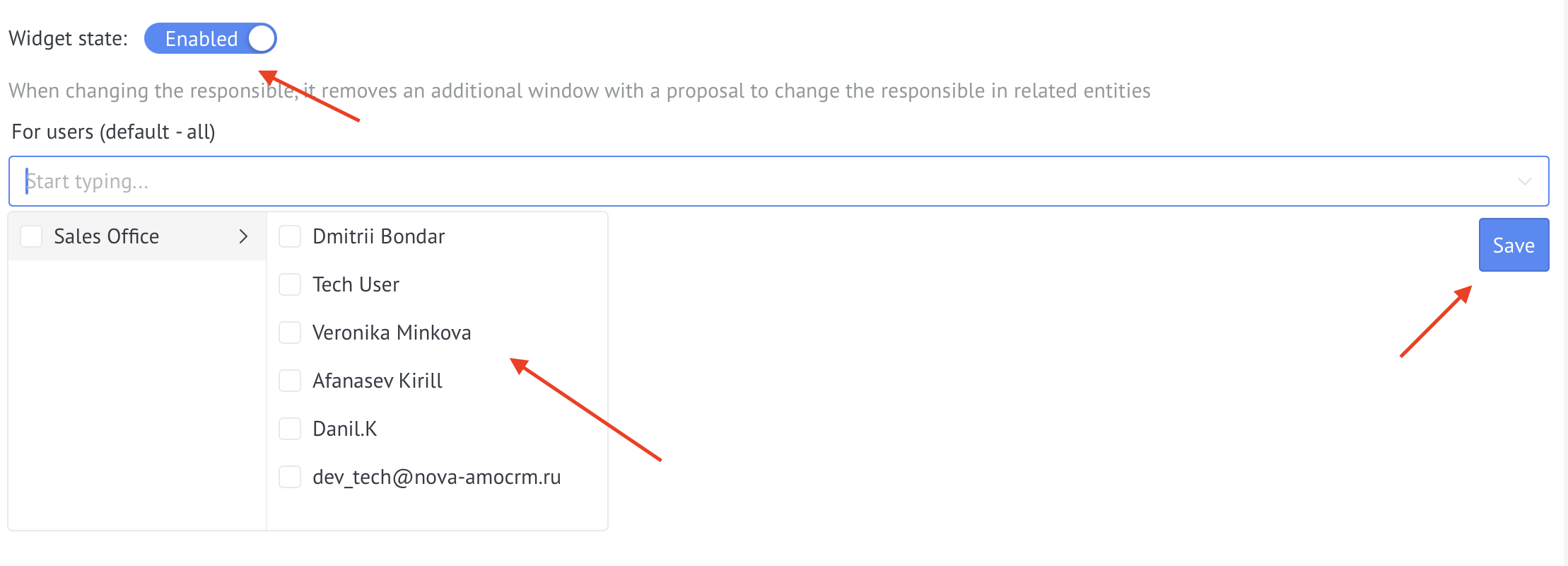
Saving widget settings

Usage

After activating the widget, when you change the owner in entities (leads, contacts, companies), the window for changing the owner in related entities willautomatically close.

What does this mean?

  • When changing the person responsible for a lead, the system will automatically close the window asking you to change the person responsible in related contacts and companies.
  • When you change the owner in a contact, the system will automatically close the window with a proposal to change the owner in related leads
  • When changing the person responsible in the company, the system will automatically close the window with a proposal to change the person responsible in related leads and contacts

Benefits of use

  • ✅ Saving time - no need to close the window every time with a proposal to change the person in charge
  • ✅ Ease of operation - quick change of person in charge without additional dialogues
  • ✅ Selectivity - ability to customize for specific managers

The widget works with leads, contacts and companies in cards and lists.