After installation, go to settings.
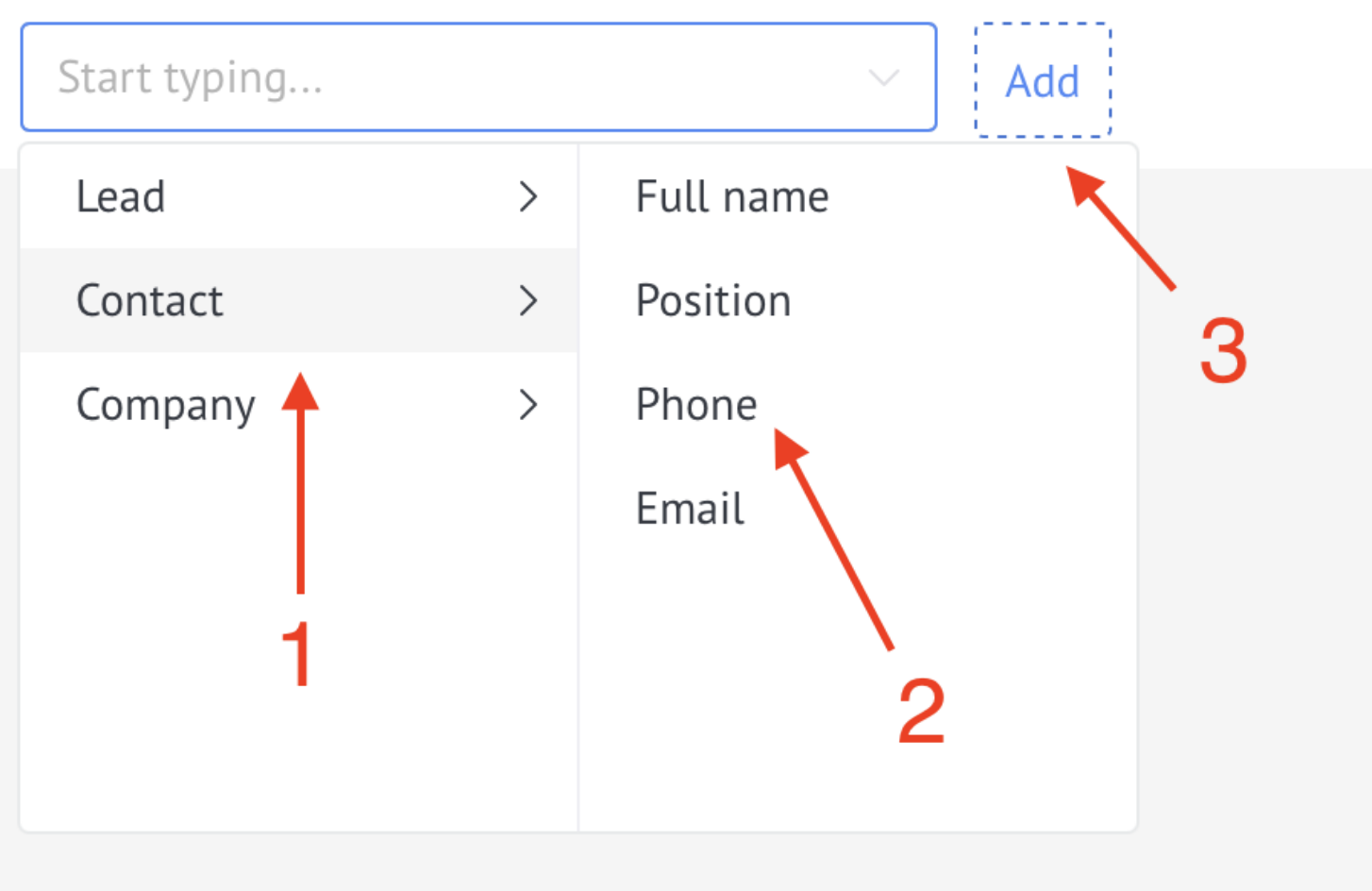
In the drop-down list, select the field for which you want to add a hint and click Add.
The widget works with Lead/Contact/Company entity fields.
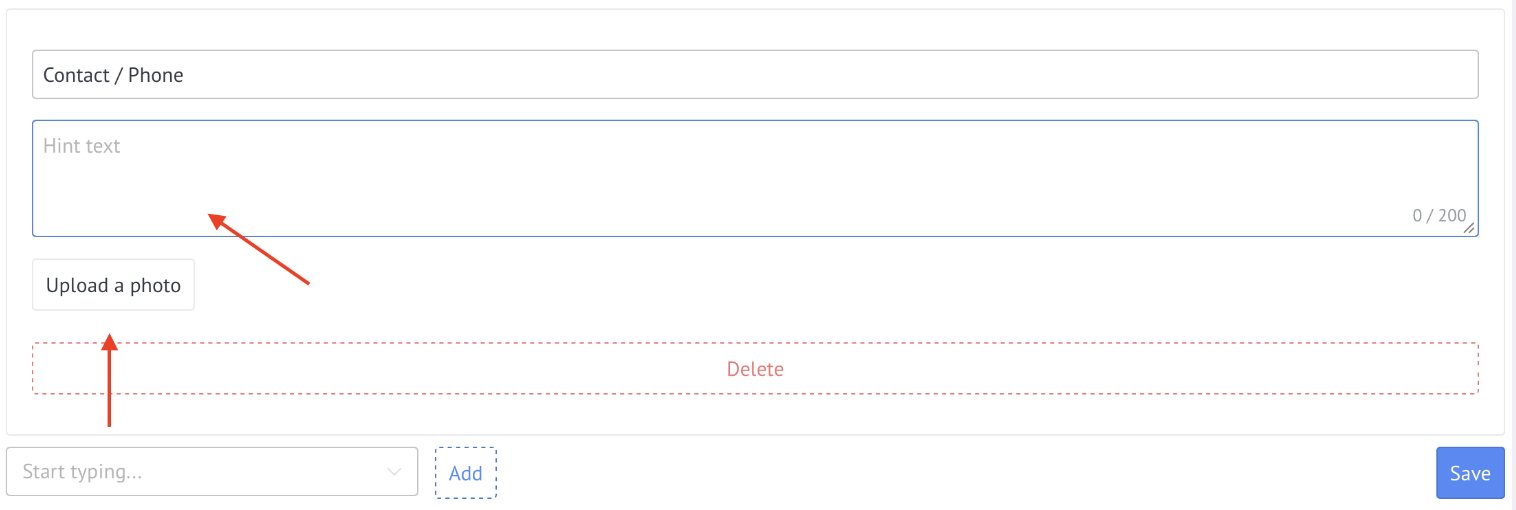
In the window that appears, enter the hint text (up to 200 characters).
If necessary, you can add an image.
Important! The image must be smaller than 1 MB.
After adding all the fields where hints are needed, click "Save".
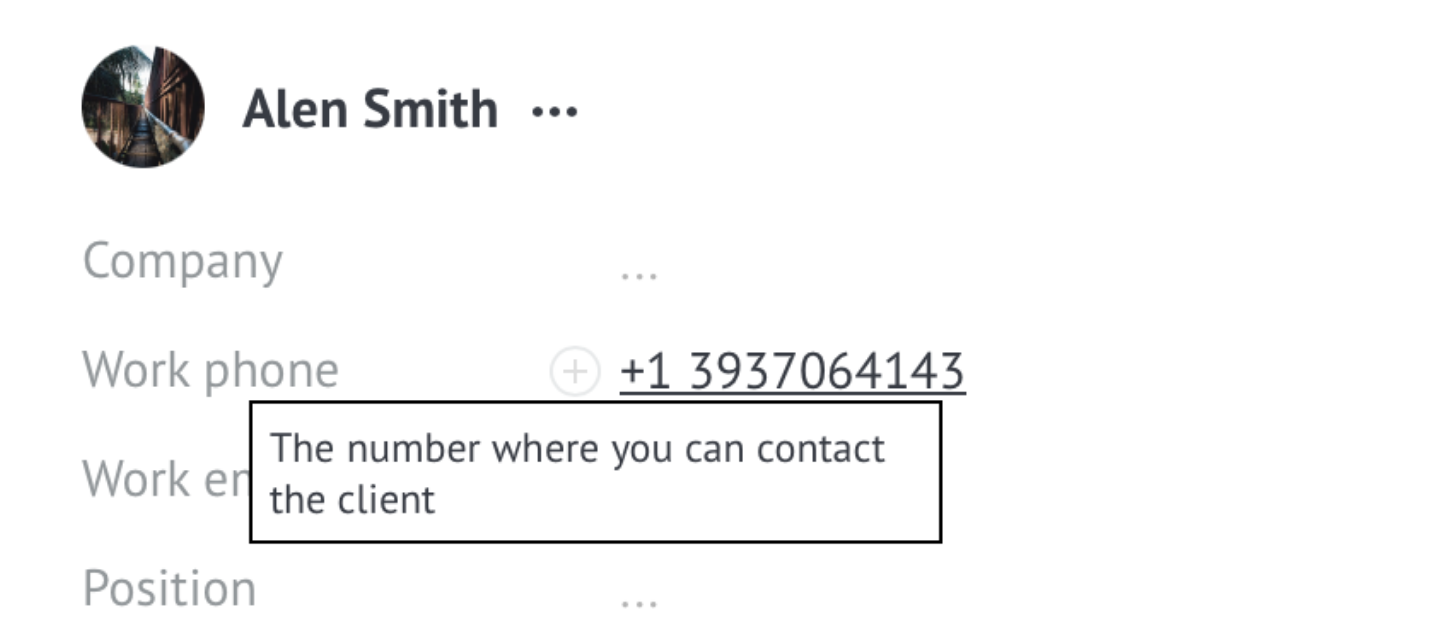
To view the hint, hover your cursor over the field.