Tasks

Require result when closing tasks

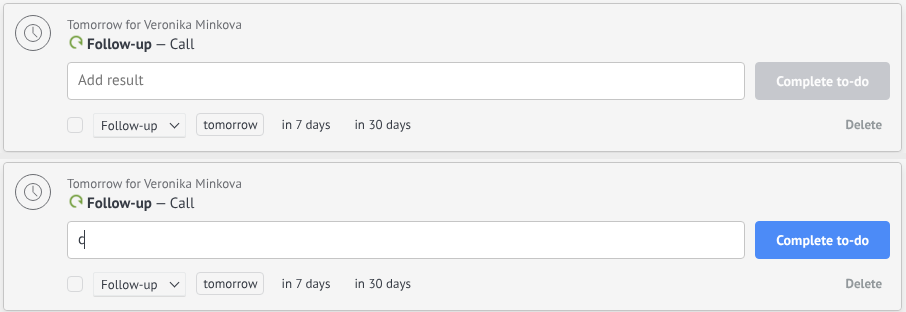
Users must enter a result before closing a task

Features

Mandatory task result
Settings by user
Better task quality
Clear completion history

Installation and setup guide

Detailed guide for working with widget "Require result when closing tasks"

Settings

To enable the function of prohibiting closing a task without a result, you must complete the following steps:

  1. Go to the NOVA platform
  2. Go to the Tools section
  3. Find Prohibition of closing a task without result
  4. Enable the checkbox to activate the function
  5. Select managers for whom the restriction will apply
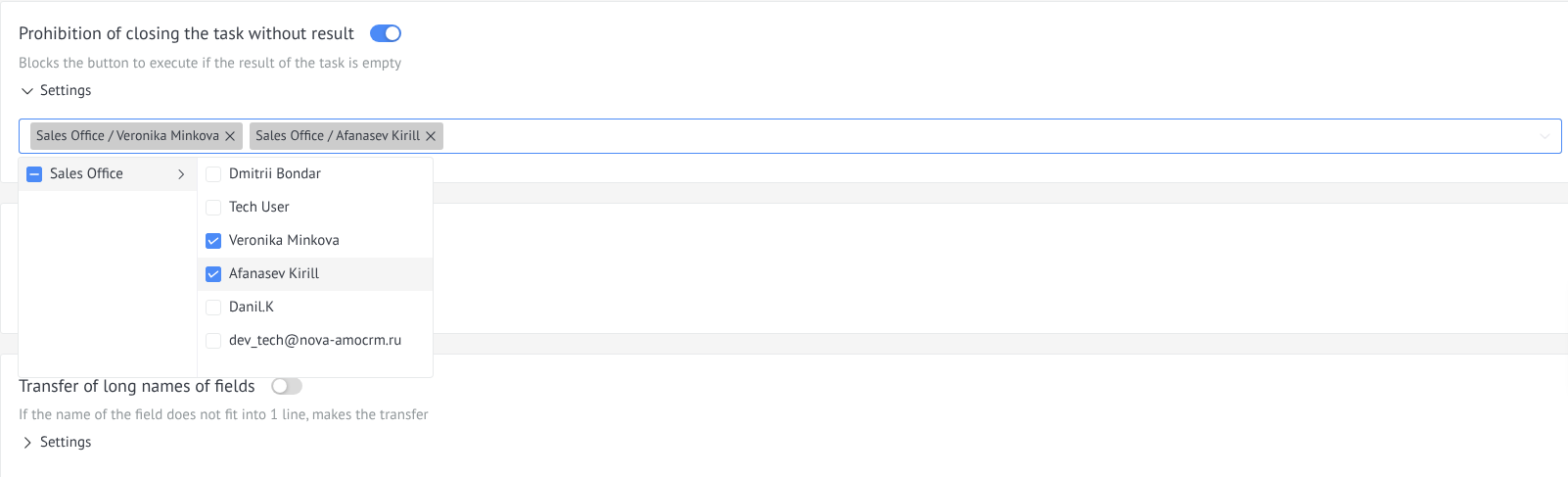
Configuring a widget to prohibit closing a task without a result

Usage

After setting up the widget, work with tasks will be carried out as follows:

  1. Open a task in a lead, contact, company, or task list
  2. If you try to close a task without entering a result, the system will not allow you to close it.
  3. After entering the result, the task can be successfully closed
Using the widget to prohibit closing a task without result